
Royal X 777 Withdrawal – How to Request a Withdrawal?
The Royal X 777 Withdraw section allows eligible users to request a payout from the amount available in their account. Before requesting a withdrawal, it is important to understand the rules and take care of somethings. You need to know a few things before cashingout of your account. Read the game rules and regulations and follow the terms and conditions before taking any dicission.
What Is the Withdrawable Amount?
Your account may display more than one type of balance.
Account Balance:
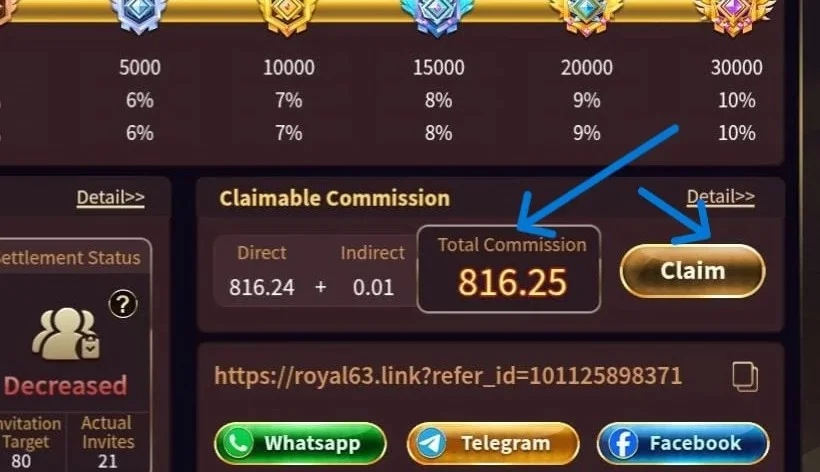
The total amount shown in your Royal X 777 account that you haven’t claimed.
Withdrawable Amount:
The amount that the current system allows you to request for cashout. It is the claimed amount shown in your wallet.
These figures can be different depending on the account’s transaction history, game activity, promotional conditions and other applicable rules. Current Royal X 777 guidance specifically notes that balance and withdrawable amount are not necessarily identical.
How to Withdraw money from Royal X 777?
This process is as simple as the deposit process. Just need to follow a few guidelines before making any transactions if you’re new to this game. If online gaming is a new thing for you then you must read this entire article to know abount the game and its features.
Step 1 – Login to Royal X777 Account

Open the app and login to your account. This is the first and basic step of the process.
Step 2 – Open the Withdrawal Section
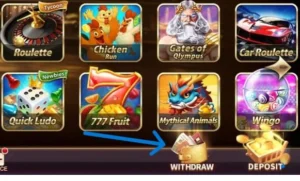
Go to your wallet/account area and select Withdraw option as shown in the picture above to start the process.
Step 3 – Check Withdrawable Amount
Before entering an amount, check how much is currently available for cashout. As you heared that Royal X casino has no wager system so you can withdraw all the income at once.
Step 4 – Check your payment details
Before going further check your payment details. Your account number and name must be correct otherwise you may not recieve the amount. Users might face delays in if their details are incorrect.
Step 5 – Enter the Amount
Now enter the amount you want to takeout of your wallet to your bank account or any E-wallet account. It can be done in minutes. After filling the form you will recieve the money in your Easypaisa account just under 5 minutes.
Step 6 – Select a payment method
You can decide where you want to recieve your money from the available methods. If you want to cashout an amount higher than 50K then bank withdrawal is the recommended option.
Step 7 – Review Everything
Before submitting your request, check:
- Withdrawal amount
- Payment method
- Account details
- Any displayed requirements
Step 8 – Confirm the transaction
Submit the request and wait for the status to update. Keep your transaction information until the cashout process has been completed. If you didn’t receive your money within the innitial timeframe, them report it to the game authorities with transction history screenshots from the app.
What can I do if Withdrawal Fails?
Several issues can prevent a withdrawal from being completed. I have highlighted some of the main reasons that can prevent you from a sucessful transaction.
Incorrect payment Details
Incorrect account or wallet details can cause the request to fail.
Account Verification
The platform may require additional account or payment verification before processing a transaction.
Requirements
Always check the current rules displayed by the application.
Payment Method Problems
A payment method might be causing a temporary problem because of maintainence.
Other problems
you may face a hidden problem sometimes in the game. In this case wait up t 72 hours and then register a complain via customer support.
Royal X 777 Withdrawal Tips
For a smoother transaction process:
- Check your balance first.
- Enter payment information carefully.
- Use an account/payment method that belongs to you where required.
- Review any displayed fee before confirmation.
- Do not submit multiple requests unnecessarily.
- Keep your transaction history.
- Check the transaction status before contacting support.
- Never give your password or verification code to another person.
What If My Withdrawal Is Pending?
If your withdrawal is marked as pending, first check the status inside your Royal X777 account. A pending status does not necessarily mean the transaction has failed. It can indicate that the request is still being reviewed or processed. If the status remains unresolved beyond the timeframe (72hours), contact the appropriate official support channel and provide the relevant transaction information.
FAQ’s
Can I withdraw my entire Royal X 777 balance?
Not necessarily. The maximum limit is 49999 PKR via E-wallets. You need to contact the support if want bigger transactions.
Why is my withdrawal unavailable?
Possible reasons include insufficient funds, account verification, applicable conditions, incorrect payment information, account restrictions or temporary maintenance.
Is there any transaction fees possible?
A fee of 2% is applicable on every transaction you make in this game. I think this is a fare deal without wagers.
How can I avoid withdrawal problems?
Enter accurate payment information, review all displayed requirements, use your own eligible payment account where required, and check the amount before confirming.
Important Reminder About Royal X 777 Withdrawals
Withdrawal conditions can change when the platform or payment options are updated. Therefore, the minimum amount, maximum amount, fees, processing time and available payment methods shown inside your current RoyalX 777 account should always take priority over information published on third-party websites.